

Three manufacturing AI PoCs: in-house chatbot, DB sync, equipment checks
Where should a manufacturer start with AI? Three PoCs with DFINITE (in-house chatbot, DB automation, equipment-name checks) show AI that adapts to human input.
When manufacturers look at adopting LLMs or AI agents, the hardest part is usually not the technology. It is not having a clear answer to the question of where to start.
Building a large system in one go carries a lot of risk, and a poor rollout mostly stirs up resistance in the operating departments. Start too small, though, and nothing meaningful comes out of it. It is also hard to judge in advance how an AI agent will work in your own business, or how work will be split between it and people once it is in place.
An electronic components manufacturer started from exactly this point.
While reviewing how to bring LLMs and AI agents into the company, it defined three candidate problems that were actually worth solving, rather than talking about technology in the abstract. It then started a PoC to test whether one vendor could solve all three.
The three starting points Company I defined
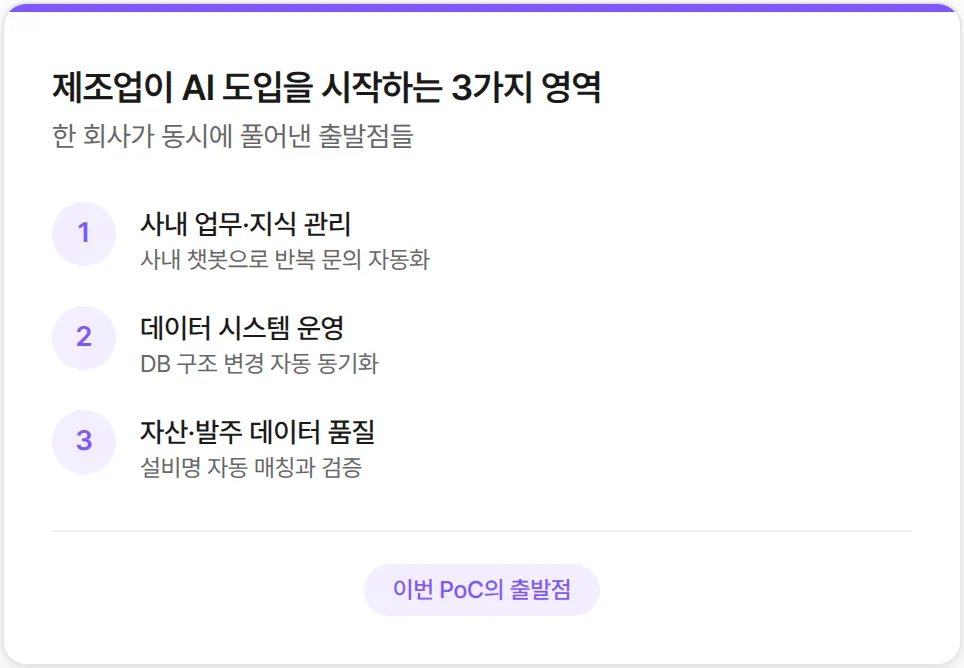
The three problems Company I defined sat in completely different areas.
The first was internal work and knowledge management. One system owner was answering similar questions every day and falling behind on their real job, and when they went on leave, nobody was there to answer. The company needed a system in which an in-house chatbot would take these repeat questions first.
The second was data system operations. Every time a new model or piece of equipment came in, the owner had to align the structure of several databases by hand, and if one spot was missed, the missing data was only noticed days later. The company needed a system to automate this work.
The third was asset and purchase-order data quality. The free text people wrote on purchase orders did not line up with the company's official equipment list, so asset IDs were being registered incorrectly. People were checking tens of thousands of records one by one in Excel, and the company needed a system to automate that validation.
The core question Company I's PoC set out to answer was whether one vendor could solve all three of these very different problems.
PoC 1. In-house chatbot: moving one person's know-how into a system
Every company has someone who knows a particular internal system best: the person colleagues in other departments message or email first whenever they get stuck.
Apart from their actual job, what this person does every day is answer similar questions. "Why did this error come up?" "Where do I find this data?" When they go on leave, there is nobody to answer and work stops. If they leave the company, the know-how in their head leaves with them.
DFINITE built a chatbot trained on the material this person held: internal manuals, collections of frequently asked questions, work emails and so on.
When someone asks the same question, the chatbot answers first and shows the source as well: which document, and which item in it, the answer came from. Three chatbots, one per data type (internal documents, PDF manuals and email content), ran on the same algorithm.
The interesting part comes next. The chatbot does not always get it right. When a company policy changes or a system is updated, it gives the old answer. When that happens, the user marks the answer as wrong and enters feedback; the chatbot remembers the feedback and uses the new information the next time a similar question comes in. There is no need to re-upload documents or retrain anything.
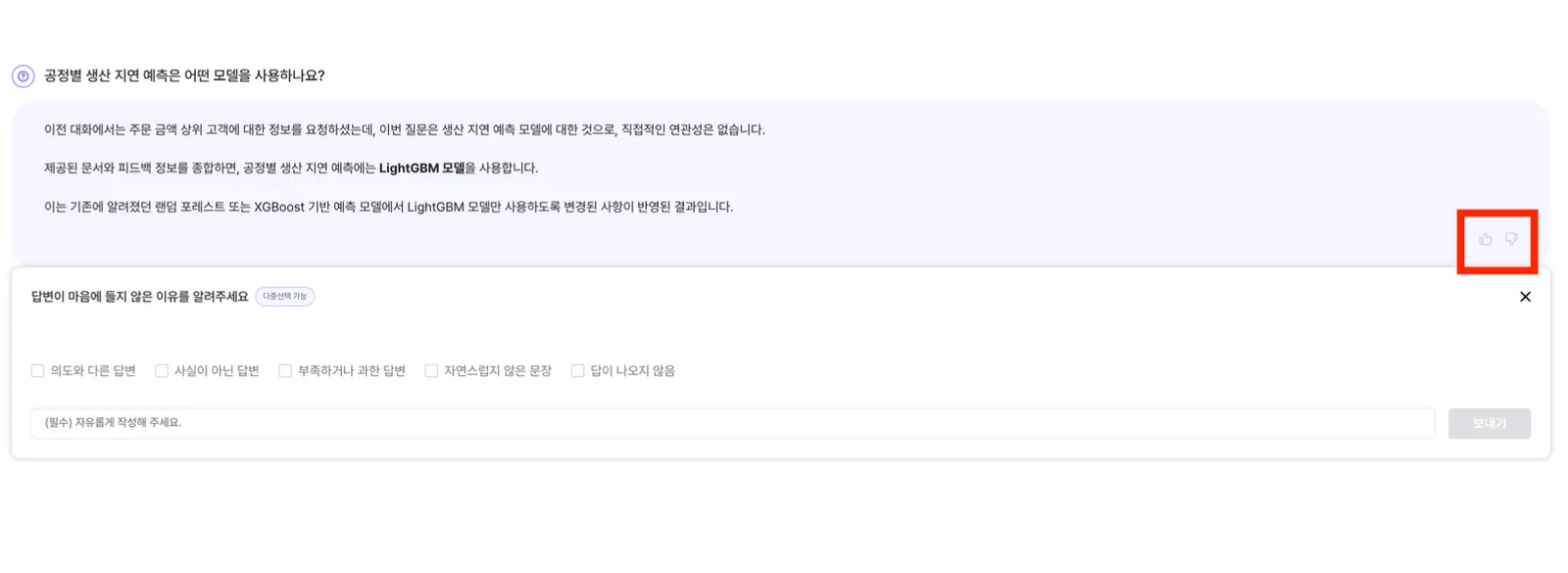
The point of this structure is clear. At first the answers often miss and there is a lot of feedback to enter, but as feedback accumulates, the chatbot gets more and more accurate on that company's policies and terminology.
Employees have less reason to press the feedback button, and the range the chatbot can answer on its own grows by the same amount. Know-how that lived only in one person's head builds up in the system and, over time, becomes a company asset. In summary:
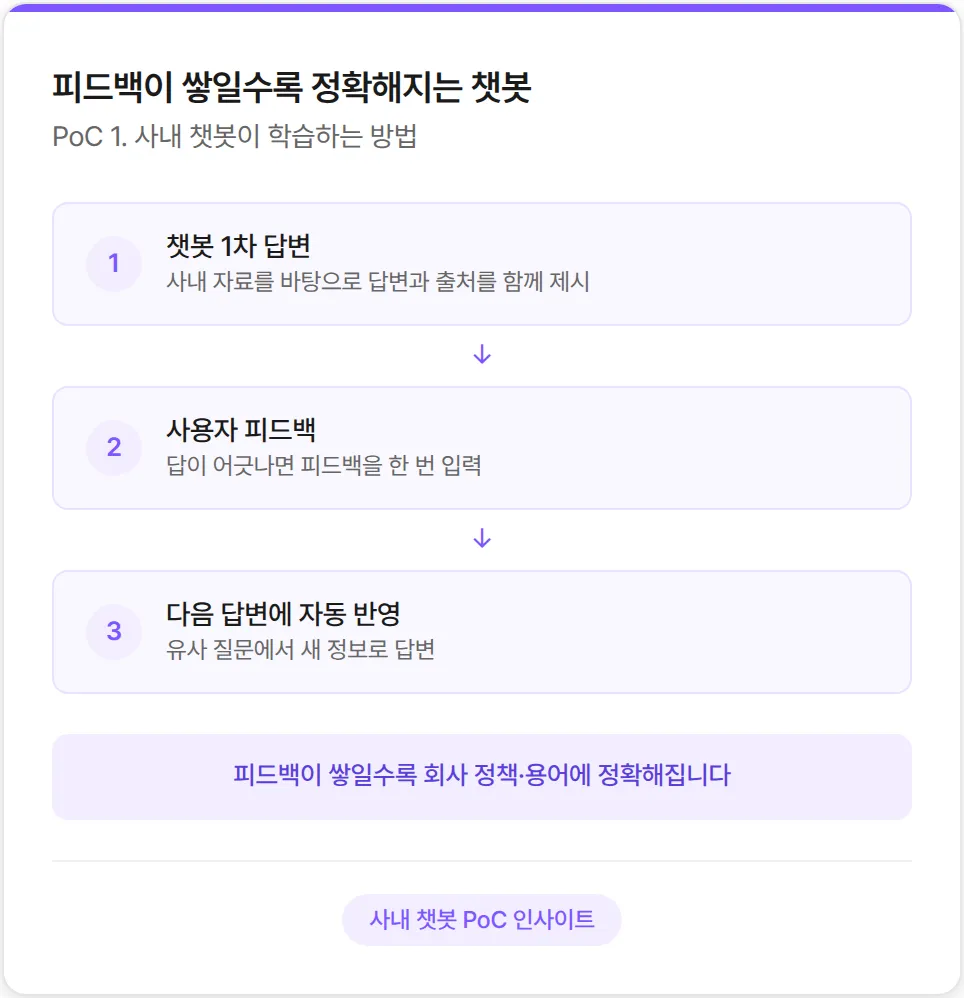
The chatbot answers first, the user gives feedback: if an answer misses, one piece of feedback fixes it
Answers come with their source: users check for themselves which document and item an answer came from
A chatbot that gets more accurate as feedback builds up: as it adapts to company policies and terms, less feedback is needed
PoC 2. DB sync automation: keeping up with change instead of being dragged by it
A manufacturing company has several databases collecting data: databases where operating systems write their logs, and an integrated database that combines that data for analysis, among others. Every time a new model or piece of equipment arrives, new fields and new tables are added across these databases, and analysis only works if each change is applied identically everywhere.
The problem is that people do this work by hand.
They compare what changed in Excel, write the commands to apply it to the other databases, check in their heads whether any other tables are affected, and run the commands overnight. Miss a single change along the way, and it is only days later that someone notices the analysis data has stopped arriving. Only then does anyone start tracing the cause.
DFINITE automated this cycle.
The system checks the database structure for changes at short, regular intervals, and the AI then drafts the sync commands automatically. When the notification reaches the owner, they review the change and its impact analysis on screen and decide with an accept or reject button. The owner is notified shortly after a change occurs.
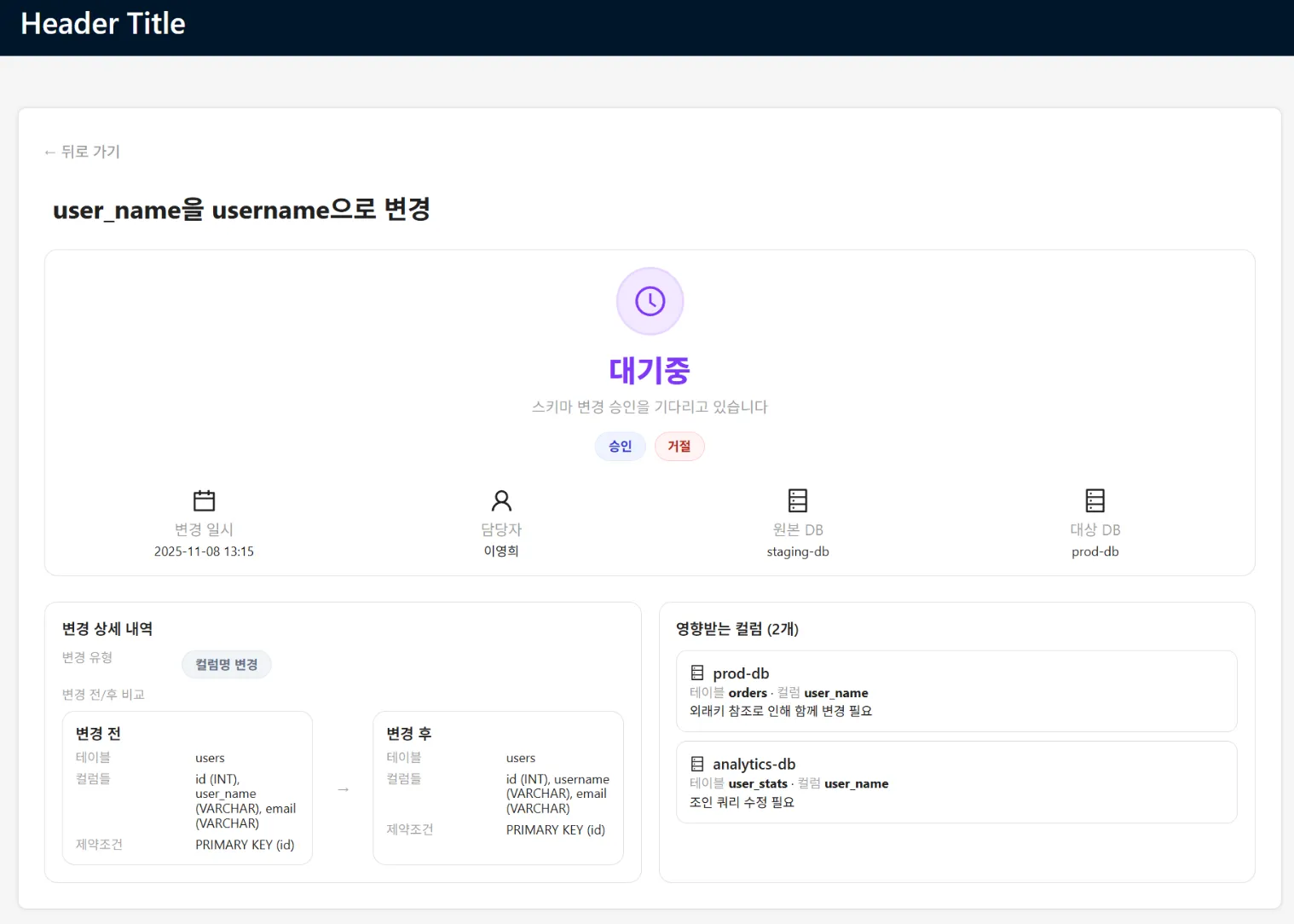
The key is the impact analysis shown on screen.
Even a change that looks as simple as renaming one field is analyzed automatically to show which tables in other databases it affects, and how. Other tables that reference the same field, and even the analysis screens that query data through it, are laid out on one screen. With that information, the owner can make a safe decision rather than simply clicking accept.
Once the system is in operation, risk criteria take shape. The company can set a policy under which safe changes such as adding a new field are approved automatically, and only changes with a big domino effect, such as renaming a field, are reviewed by a person.
The criteria for classifying risk levels automatically are also adjusted to the company's real environment as operating data builds up. The result is a shift from a setup where people look at every change to one where people step in only for the changes that are truly risky.
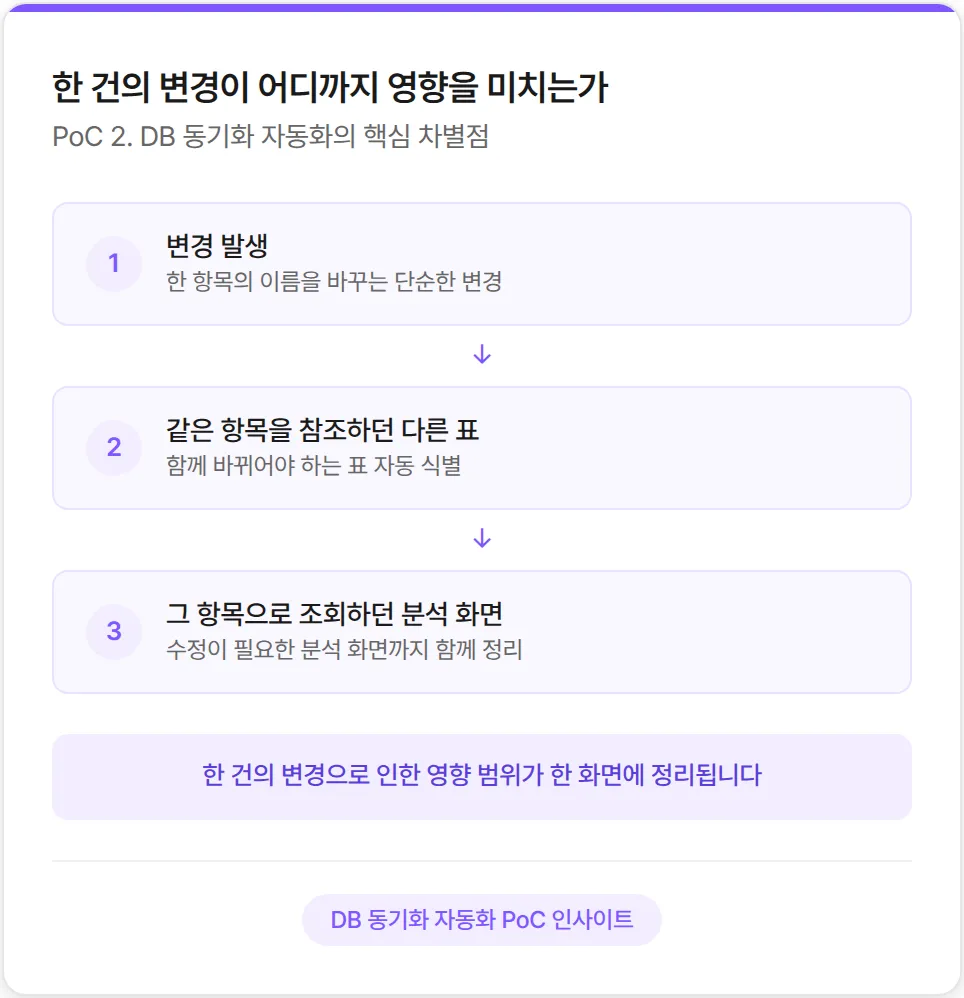
Change detection and command drafting are automatic; people decide whether to apply: the owner gets a notification and decides with an accept or reject button
A screen that shows the domino effect in advance: other affected tables and queries are laid out on one screen
Risk criteria that settle to fit the company: safe changes go through automatically, and people look only at the risky ones
PoC 3. Equipment-name validation: linking scattered records to the right identifier
Every time a company buys or repairs equipment, purchase-order records pile up. The problem is that these records do not line up with the official equipment list the company maintains separately. Purchase orders contain whatever text people wrote at the time: English abbreviations, Korean, model numbers and department codes mixed together, with inconsistent spacing and abbreviations. The official equipment list, by contrast, is a tidy table of unique IDs, official equipment names, and plant, line and unit information.
The job is for a person to compare the two one by one and pair them up. They look at a line on a purchase order, search Excel for "which row on our list is this equipment?", and ask another colleague when unsure. Validating tens of thousands of records by hand takes a long time. Judgments also differ from person to person, so results vary, and a wrong match distorts asset information, letting errors build up in accounting and maintenance history.
DFINITE built a system that takes the purchase-order Excel file and the equipment-list Excel file together and matches them automatically.
The AI reads each line, recommends the most likely equipment candidate, and classifies it automatically together with a consistency score. A high enough score means auto-approve, an unclear one means needs review, and a low one means reject. Next to each result is a one-line reason in Korean explaining why it was classified that way.
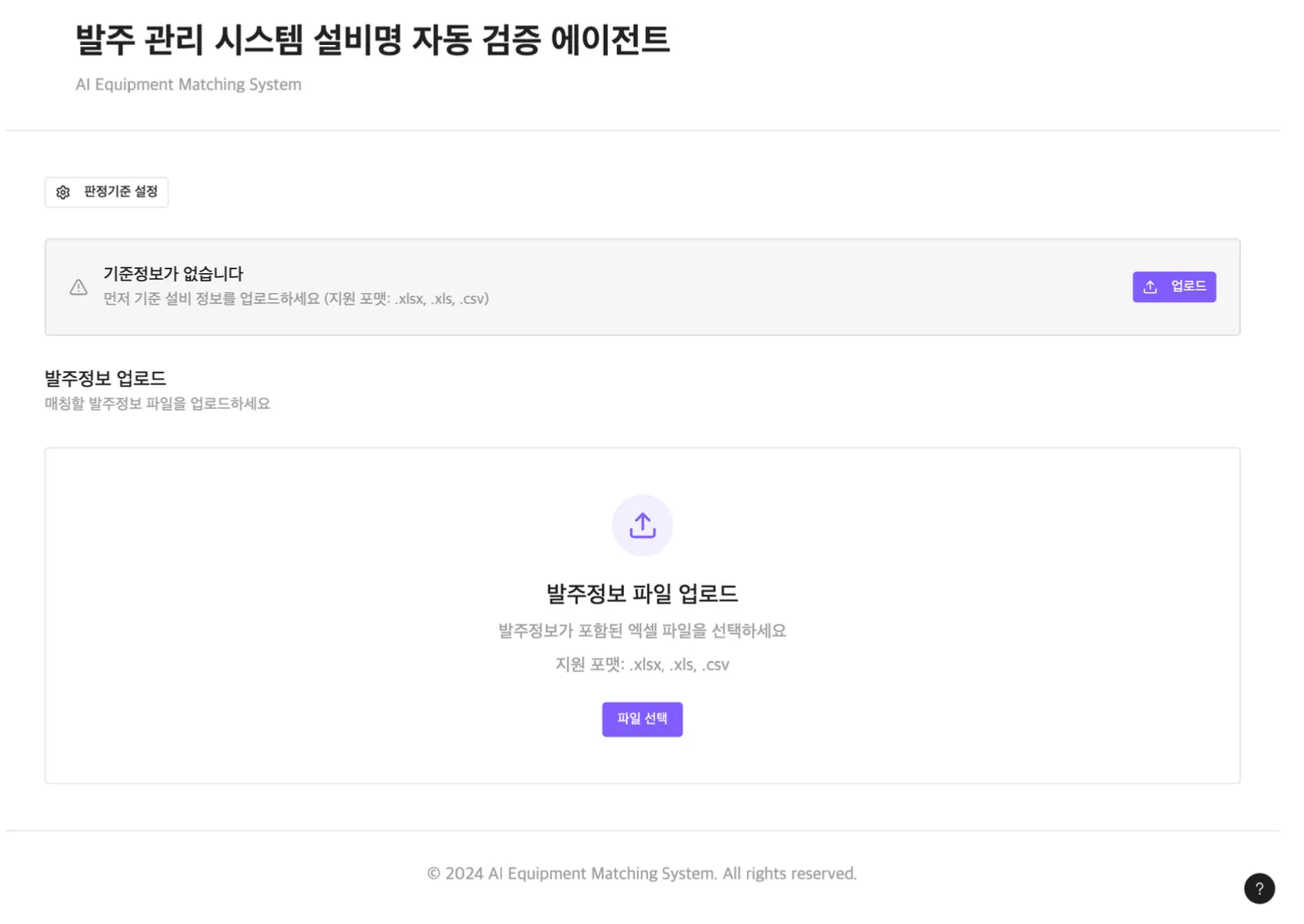
No one can review tens of thousands of records. People only need to look at the ones the system marks as needing review. The company sets the classification thresholds itself. It can adjust them with a slider to fit its policy: run conservatively and the review zone grows; run more aggressively and auto-approvals increase.
Once in operation, the system starts adapting to the company's domain. Abbreviations, aliases and company-specific term patterns that often appear on purchase orders accumulate in an alias dictionary, and matching accuracy goes up. At first the review zone is large and takes a lot of manual work, but as the dictionary grows, the auto-approve zone widens and the review burden shrinks.
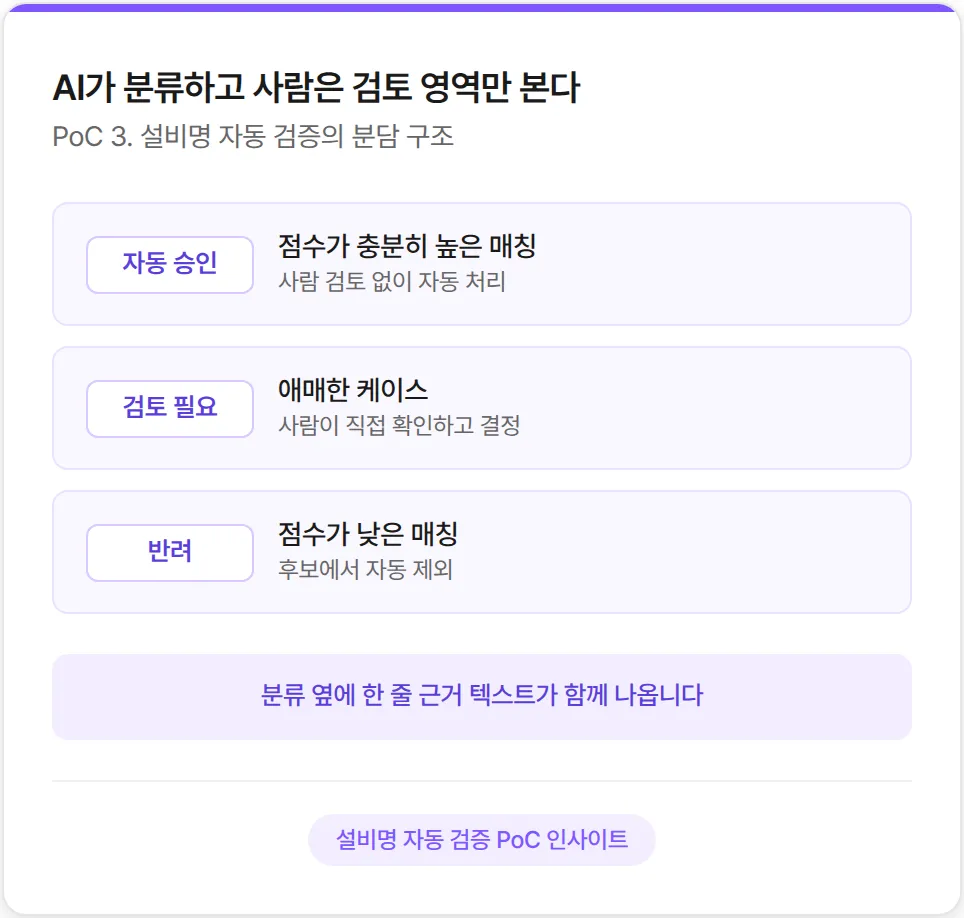
AI recommends match candidates; people decide only on the review zone: instead of checking tens of thousands of records, they look only at those that need review
A one-line reason appears next to each classification: people see in plain language why something was classified that way, not just a score
Matching that gets more accurate as the alias dictionary grows: as company-specific terms are learned, the review zone shrinks
Three problems that looked different were solved the same way
The three PoCs Company I tested covered completely different areas.
Internal work and knowledge management, data system operations, and asset and purchase-order data quality. The technologies differed too: a chatbot, database synchronization and a matching engine.

Yet all three had the same shape.
AI organizes things first and people decide; the reasons for each decision are shown alongside it; and the more people correct it, the better the system fits the company. The domains differed, but the approach to solving them was consistent.
After evaluating the three PoCs together, Company I selected DFINITE as the vendor to carry out a full-scale validation on its internal data.
How to build an AI agent that fits your company
An AI agent that fits your company is not built in one go.
It starts from a division of work in which AI organizes things first and people decide, and it has to earn trust through transparency, showing the reasons behind each decision. Then, as it runs and people give feedback, it is refined into a setup where the range of automatic processing keeps widening. The starting point is to test this cycle once, beginning with a small PoC.
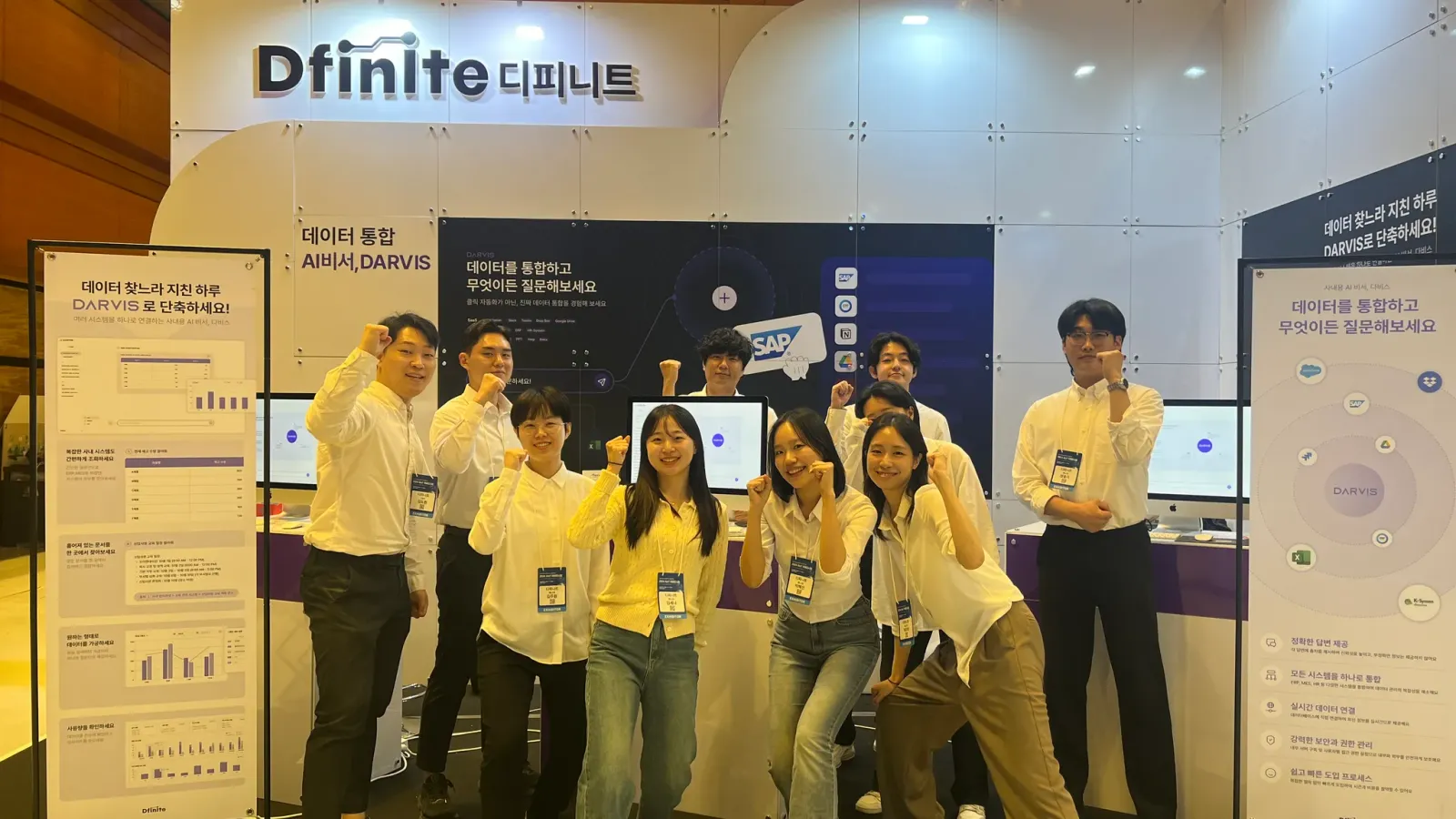
DFINITE has been running and validating PoCs like this with its customers. If you are considering bringing AI agents into your company, we would be glad to have an informal conversation about which area of your business you could start with.
Starting AI adoption in manufacturing with a PoC
When it comes to adopting AI tailored to your company, trying it in a PoC is faster than deliberating. A single PoC is enough to gauge how AI would work in your business and how work would be split with people.
DFINITE's enterprise AI solution DARVIS provides AI tailored to each company across areas such as in-house chatbots, data automation and asset data validation. Does building an in-house AI chatbot still feel vague?
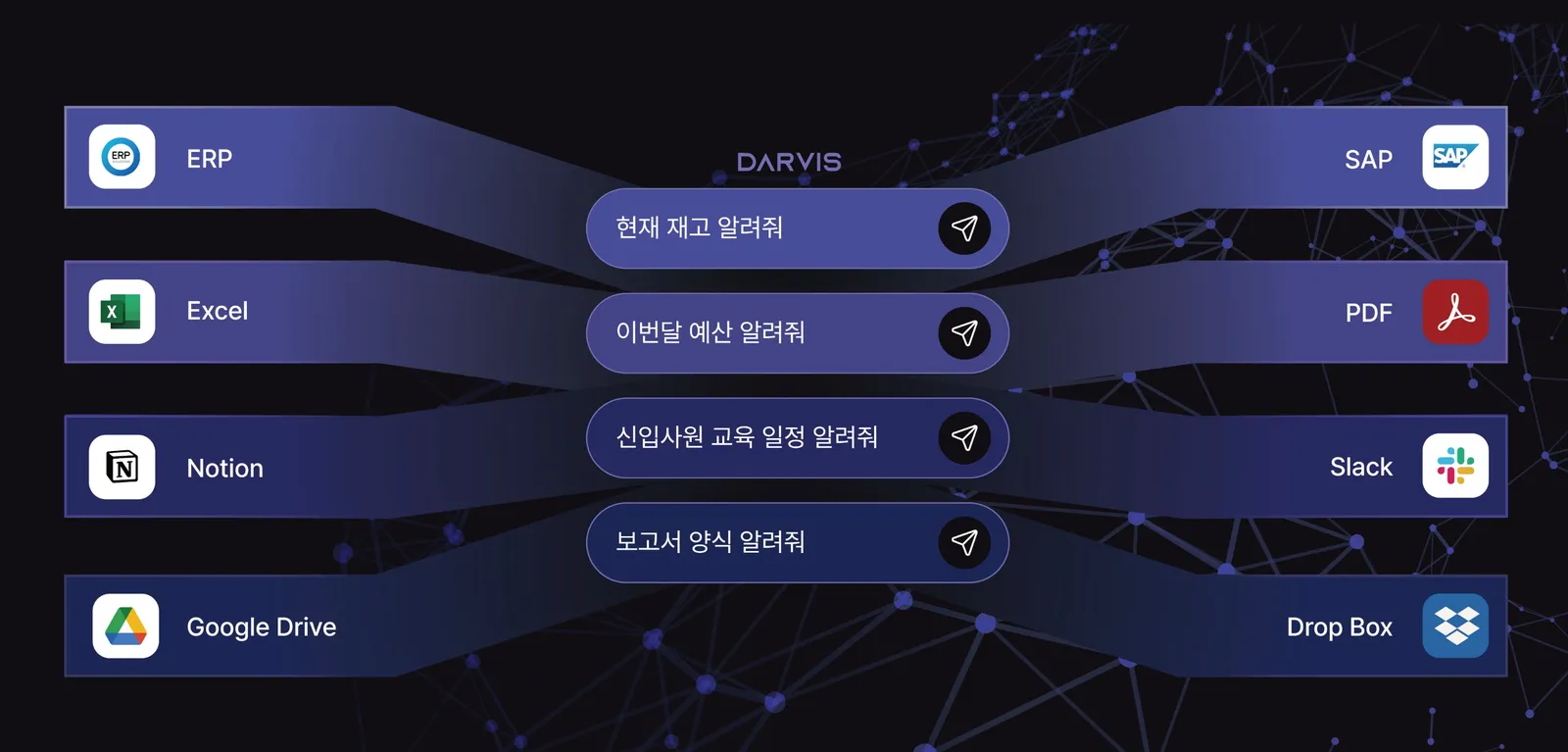
The DARVIS brochure is in the Brochures menu at the top of this page. PoC inquiries are always welcome.
We join scattered data with an ontology, flag what drifts first, and keep the evidence behind every decision.